

Introduction
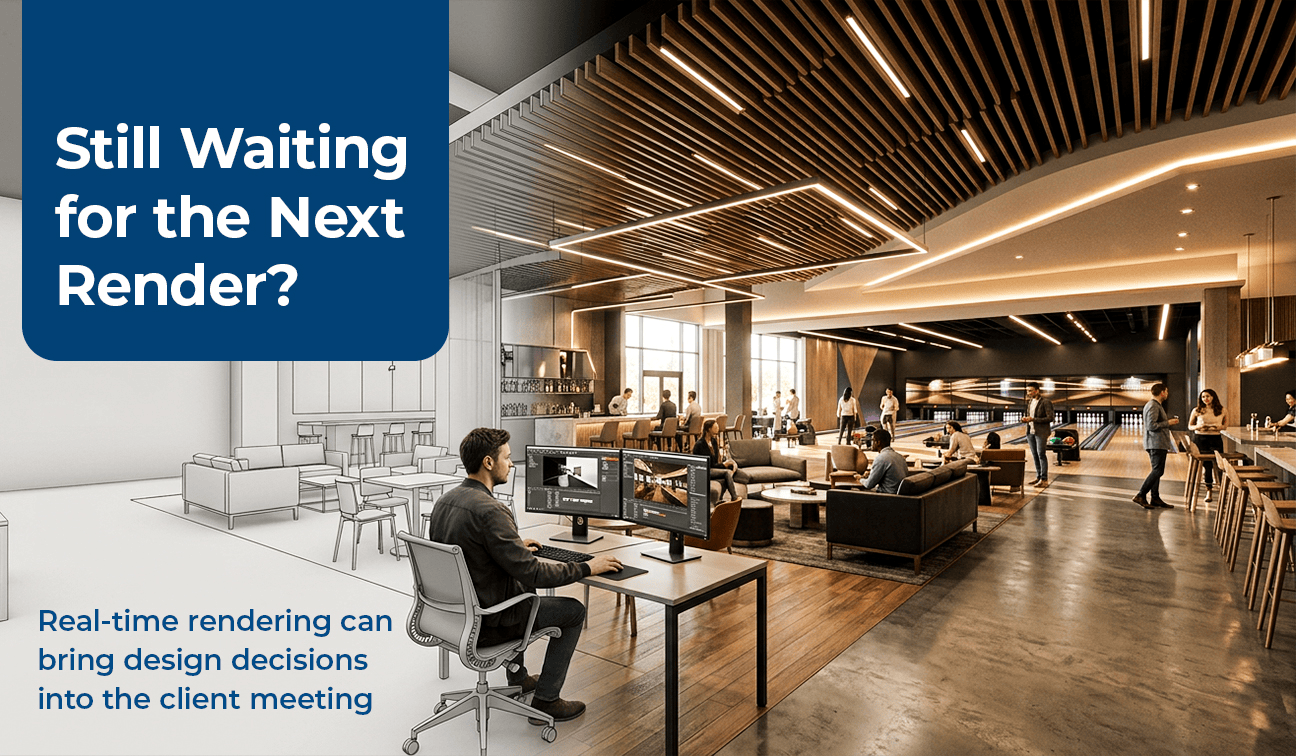
A client asks, “What if that wall were glass instead?” Your team says “great question” – and then goes quiet for a week while someone re-renders the scene.
That pause used to be normal. It isn’t anymore, and clients are starting to notice which firms still make them wait for it.
Real-time path-tracing renderers have quietly changed what a design meeting looks like. The image on screen updates as fast as the mouse moves. The overnight render queue that used to gate every design decision is now optional – and the firms still running on it are losing momentum in the room, not just losing render time.
Executive Summary / Key Takeaways
- Real-time GPU path tracing removes the render queue from the design conversation entirely – Real-time GPU path tracing allows many material, lighting, and environmental changes to be viewed immediately during a design session, significantly reducing the need for render-and-review cycles.
- Firms still on overnight rendering are adding a full review cycle to every material or lighting decision, which compounds across a project.
- Real-time engines connect directly to Revit, SketchUp, Rhino, Archicad, and 3ds Max, running off the same coordinated model – not a separate visualization rebuild.
- Live, editable presentations close design decisions in the room; static render decks push decisions into a second meeting.
- This is a workflow shift, not a software upgrade – it changes who can make design calls and when.
Industry Overview
Architectural visualization has historically been treated as a separate production step – modeling happens, then a rendering pass is scheduled, then a review, then revisions, then another render. Real-time GPU path tracing (the technology behind tools like D5 Render) collapses that sequence by running physically – based lighting calculations live rather than as a batch job. It integrates directly with the modeling tools AEC firms already use, rather than requiring a parallel visualization workflow.
Problem Statement
Design approval in AEC has traditionally been gated by how fast a firm can produce a new image after a requested change. Every material swap, lighting adjustment, or layout tweak has historically meant a new render cycle – and a new wait.
Challenges
- Render queues extend the design approval timeline by days or weeks per revision round.
- Static image decks can’t answer a client’s “what if” question in the room — the meeting ends with an action item instead of a decision.
- Visualization done as a separate pass from the coordinated model risks drifting out of sync with the actual design.
- Real-time path tracing is GPU-intensive, and firms may need capable RTX-class workstations to maintain smooth performance in complex architectural scenes. Hardware requirements should therefore be considered as part of the implementation cost.
- Adopting real-time rendering also requires changes to established workflows, including staff training, scene preparation, hardware investment, and adapting client presentation processes.
Solutions
Real-time path-tracing renderers solve the queue problem directly: the same physically – based lighting math traditional renderers spend hours computing now runs now runs interactively, allowing teams to evaluate many design changes in real time while remaining connected to the model the design team is already working in.
Step-by-Step Process / Methodology
1. Model in your existing platform
Design continues in Revit, SketchUp, Rhino, Archicad, or 3ds Max — no separate visualization model is built from scratch.
2. Sync to the real-time engine
The model links live to the rendering engine, carrying geometry, materials, and lighting setup forward automatically.
3. Light and material pass
Materials, lighting, and environment are set up inside the real-time environment, allowing the team to evaluate the scene at a high visual quality while making adjustments.
4. Live client session
The design team walks the client through the space, changing finishes, lighting, materials, and other visual elements live while capturing decisions on the spot. More substantial design changes can then be updated in the source model and synchronized back into the real-time environment.
5. Model stays the source of truth
Design decisions made during the session can be incorporated back into the coordinated model, helping keep the visualization aligned with the design as it evolves.
Benefits
- Design decisions close in the meeting instead of over a follow-up email chain.
- Fewer render-and-wait cycles compress the overall approval timeline.
- Clients experience the design as a space, not a slideshow — which changes how a proposal is remembered.
- Visualization stays tied to the coordinated model instead of drifting out of sync as design evolves.
- Real-time collaboration allows architects, designers, consultants, and clients to review and evaluate design options together, making it easier to resolve decisions during the same session.
Where Real-Time Rendering Fits
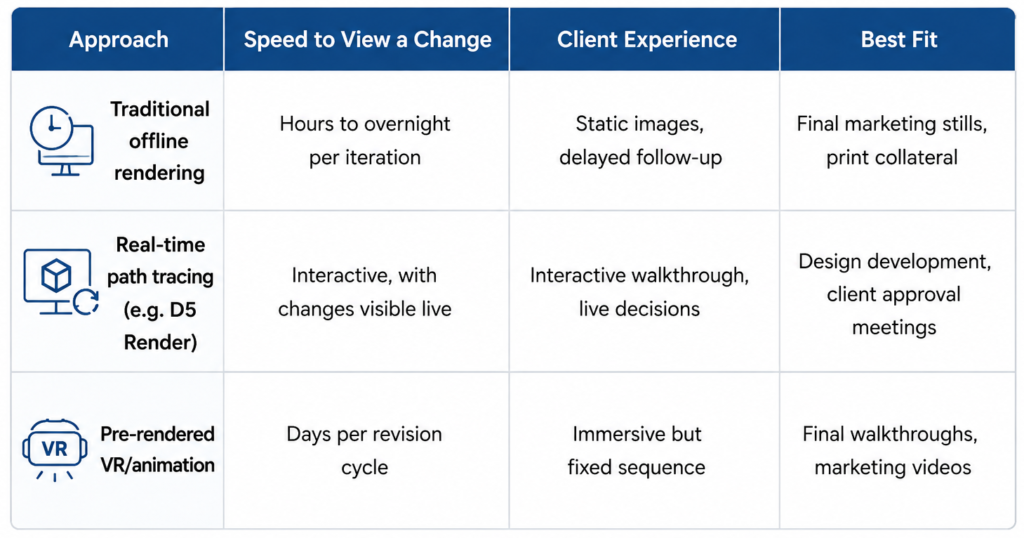
Real-time rendering does not eliminate the need for traditional offline rendering. While it is highly effective for interactive design development, client reviews, and live presentations, high-resolution marketing stills, complex animations, and certain final-production deliverables may still benefit from offline rendering workflows. The most effective AEC workflows use real-time and offline rendering together, selecting the appropriate approach based on the project’s stage and deliverable.
Features / Key Highlights
- GPU-driven real-time path tracing for production-quality lighting accuracy
- Integration with major AEC and 3D design platforms, including Revit, SketchUp, Rhino, Archicad, 3ds Max, Cinema 4D, Blender, and Vectorworks.
- Live material, lighting, and environment editing during presentation
- Cloud collaboration for distributed design teams working the same scene
Best Practices
- Build the material and lighting library once per project type to speed up setup on future jobs.
- Confirm workstation GPU capabilities before the first live client session. Complex scenes, high resolutions, and real-time path tracing can place significant demands on the GPU, so performance should be tested in advance.
- Keep the real-time scene tied to the coordinated BIM model rather than a disconnected export, so visualization and design don’t drift apart.
- Rehearse the live-editing flow before the client meeting — comfort with the tool is what makes the session feel effortless.
Common Mistakes to Avoid
- Treating real-time rendering as a faster version of the old workflow instead of restructuring the presentation around live decisions.
- Running a live session on underpowered hardware, which turns a selling point into a stall.
- Building the visualization scene disconnected from the coordinated model, recreating the sync problem real-time tools are meant to solve.
- Skipping rehearsal and improvising the live edit flow in front of the client.
Comparison Table
Statistics & Industry Data
Design-phase miscommunication is a documented driver of revision cycles: industry surveys on architecture client presentations report that a majority of project delays originate from miscommunication during the design phase, often because static presentation formats don’t let clients explore or question the design in real time (Spreadboard, 2026).
Structured, faster-feedback presentation and review workflows have been reported to reduce approval cycle times by roughly 40% in architectural visualization contexts, largely by removing the wait between a requested change and a reviewable result (Rendimension, 2026).
These figures are drawn from third-party industry sources, not eLogicTech client data, and are cited to illustrate the scale of the problem industry-wide.
Case Study / Illustrative Example
Consider a mid-size architecture firm in the southeastern US is presenting a mixed-use retail concept to an ownership group. Under their previous workflow, each requested material or lighting change meant a new overnight render and a follow-up meeting the next week — a design phase that typically ran three to four review cycles before sign-off.
Moving the client walkthrough into a real-time, editable session could allow the design team to test finish and lighting options live during the meeting itself. The ownership group could evaluate material and design options in that same session instead of requesting a second round of stills, potentially reducing the number of review cycles required before sign-off.
Expert Insights / Tips
The firms getting the most out of real-time rendering aren’t just rendering faster – they’re restructuring the client meeting itself around live decision-making, treating the walkthrough as a working session rather than a presentation of finished work.
Future Trends
Real-time visualization tools are increasingly incorporating AI-assisted features for materials, lighting, scene creation, and workflow automation, while cloud-based collaboration is extending live design sessions to distributed teams and remote clients..
FAQs
Does real-time rendering replace our BIM workflow?
No. Real-time engines connect to the coordinated model already being built in Revit, SketchUp, Rhino, or similar platforms – they run on top of that model rather than replacing it.
Do we need new hardware to run real-time rendering?
Real-time path tracing is GPU-dependent, so workstation specs should be confirmed before relying on it for live client sessions.
Is real-time rendering only useful for final presentations?
It’s most valuable earlier – during design development, where live material and lighting decisions can be made and closed out before the design is finalized.
Conclusion
The overnight render queue was never a design requirement – it was a hardware limitation that happened to shape how AEC firms run client meetings for the last two decades. Real-time path tracing removes that limitation. Firms that restructure their presentations around real-time rendering can close more design decisions in the room, reduce review cycles, and give clients a more interactive way to experience the design.
Call-to-Action
Have a client presentation coming up where the design is still moving? Talk to our team about running it as a live walkthrough instead of a static render set.