


Introduction
Most project teams will tell you they are on Autodesk Construction Cloud. Ask them which structural model the contractor priced from, and whether the MEP team coordinated against the same one, and the answers start to differ.
That is the real test of a common data environment. Having the platform is easy. Having every discipline agree on which file is current, who is allowed to change it, and when it counts as issued is the hard part. ACC gives you the folders, permissions and review workflows. It does not give you the discipline.
This blog covers how the four CDE states from ISO 19650 map onto ACC, where teams usually lose control, and what a production team needs from the setup to deliver clean models. One note on naming: Autodesk rebranded ACC as Autodesk Forma in March 2026. Most of the industry, and most search traffic, still says ACC, so we use both.
Executive Summary / Key Takeaways
- A CDE is a process first and a platform second. ACC supplies the tools; the BIM execution plan supplies the rules.
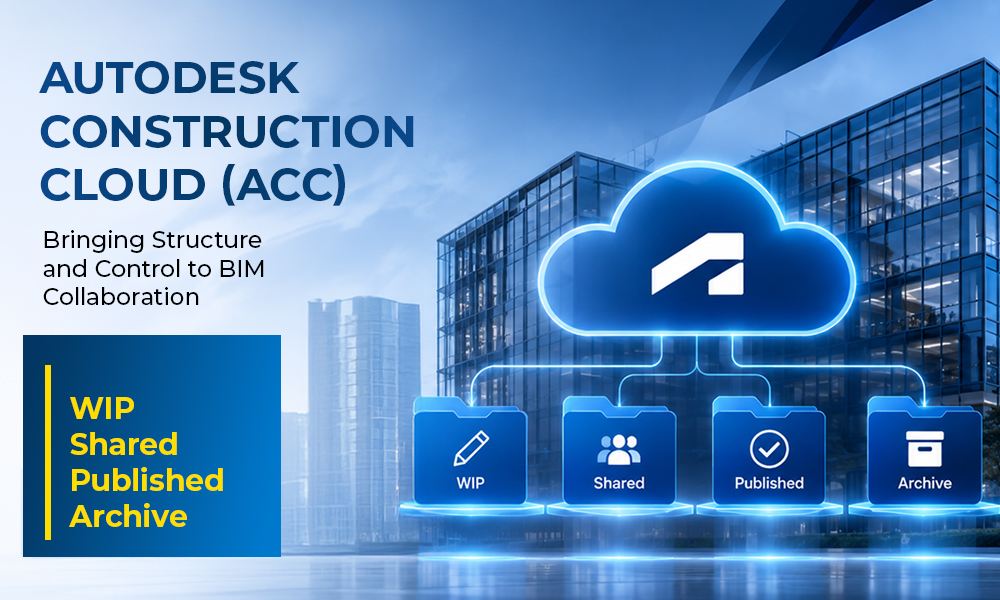
- ISO 19650 describes four states: Work in Progress, Shared, Published and Archive. Each needs its own access rights and its own gate.
- Most CDE failures come from content sitting in the wrong state: draft files in Shared, superseded files never archived, Published folders anyone can edit.
- The rebrand to Autodesk Forma changed names, not workflows. URLs, logins and API endpoints stay the same, and Autodesk Docs is now Forma Data Management.
- Setting the CDE up once as a project template is cheaper than correcting it project by project.
Industry Overview
What ACC is, and what changed in 2026
Industry Overview
What ACC is, and what changed in 2026
Autodesk Construction Cloud is a cloud platform that connects teams, data and workflows across the construction lifecycle, from design through handover. In March 2026 Autodesk rebranded it as Autodesk Forma, its industry cloud for AEC. Autodesk Docs became Forma Data Management, BIM Collaborate Pro became Forma Design Collaboration, and Autodesk Build became Forma Build.
For day-to-day teams the change is mostly cosmetic. Reports from Autodesk resellers confirm that URLs, login processes and API endpoints are unchanged, existing project data and settings carry over, and there is no immediate change to seat counts or licensing terms. Check your own subscription with your Autodesk reseller before assuming anything about future terms.
The four CDE states
A common data environment is the single, shared place where project information is created, reviewed, approved and kept. ISO 19650 organizes that information into four states, and the order matters because information moves through them with a check at each step.
State | What it holds | Who does what | Typical setup in ACC (Forma Data Management) |
WIP | Content still being developed by its author, not ready for anyone else to rely on | The authoring discipline edits freely; access kept narrow | Discipline folder with upload and edit rights for the author team only |
Shared | Content the author has cleared for other teams to coordinate against and comment on | Other disciplines view and mark up; they do not edit | Folder with view and markup access for the wider team, fed through a review step |
Published | Content approved for a defined purpose: detailed design, construction, or asset management | Most users view only; changes go back through WIP | View-only folder for most roles, versioned, with an approval step on entry |
Archive | Superseded and historical information kept as the project record | Restricted to project managers and document control | Restricted folder that holds the audit trail of what was issued and when |
The table is a typical setup, not a rule. ACC provides folders, permissions and review workflows. It does not decide for you what belongs in each state, which is why the BIM execution plan has to
Problem Statement
Information lives in more places than anyone admits. A model sits in the CDE, a copy sits in email, a PDF set sits on someone’s local drive, and a coordination export sits on a shared drive that predates the project. Each copy is correct for a different date.
A CDE exists to end that. When it is only half-adopted, the project gets the cost of the platform without the control, and the team still argues about which version is real.
The cost of that confusion is documented. A 2018 report from FMI and Autodesk found that poor project data and miscommunication accounted for 48 percent of rework in U.S. construction, or $31.3 billion that year. The report is dated, but the mechanism it describes will be familiar to any BIM manager: someone worked from the wrong file.
Challenges
Folders without states
Challenges
Folders without states
A folder tree is not a CDE. If a Shared folder holds drafts and a Published folder holds anything someone wanted to keep, the names mean nothing and the team goes back to asking each other.
Permissions that let everyone edit
The point of Shared is that other disciplines can see and comment but cannot change. The point of Published is that most users cannot change anything. Open permissions quietly remove both guarantees.
Review without a gate
Content that moves from WIP to Shared to Published should pass a review with a named approver. Where that step is optional, it gets skipped under deadline pressure, which is exactly when errors get through.
Published sets that don't match the model
Sheets, models and schedules are often released on different days. A contractor who pulls a published sheet set and a model from two different moments is working from two different buildings.
Archive treated as an afterthought
Nobody owns the Archive, so superseded files stay in Shared where they look current. Months later someone reuses one. The audit trail that was supposed to protect the project is also the first thing lost when a dispute starts.
Solutions: Treat the CDE as a Protocol, Not a Folder Tree
Write the rules once, in the BIM execution plan, and build the ACC project to match them. State definitions, naming, who can move content between states, who approves, and what Archive is for. Then lock the structure into a project template so the next project starts from the same baseline instead of from memory.
Step-by-Step Process: Setting Up the CDE
- Agree the information requirements and naming convention before the first upload, and record them in the BIM execution plan.
- Build the folder structure by state and discipline, and save it as a project template.
- Set permissions per state: authors edit in WIP, reviewers view and mark up in Shared, most users are view-only in Published.
- Put a review and approval workflow at each transition, with a named approver and a clear turnaround.
- Define what “issued” means. A Published package should have a stated purpose and a status, not just a date.
- Move superseded content to Archive on a schedule, not when someone remembers.
- Audit monthly. Sample a handful of files per discipline and confirm each sits in the right state.
Benefits
- One answer to “which file is current” across architecture, structure and MEP.
- Coordination that runs against shared content, not against whatever each team exported last.
- A defensible record of what was issued, to whom, and when.
- Faster onboarding for new team members and outside production support, because the structure is the same on every project.
Features / Key Highlights: Where eLogicTech Fits
eLogicTech works as the production team behind U.S. architecture, engineering and construction firms, from an extension of an in-house BIM team up to a full production team. ACC and Autodesk Build are part of our own stack for model coordination and document control, so we are used to working in a structured CDE rather than around one.
When a client runs the project in ACC, we work to their folder structure, naming and permissions. We do not ask them to adopt ours. That matters for two reasons: the client keeps control of who can see and change what, and our models land in the right state the first time.
- Architectural, structural and MEP BIM modeling in Revit, up to LOD 400
- Clash detection and BIM coordination, including coordination meetings
- A structured 3-step QA/QC process before anything is released into Shared
- BIM model auditing, IFC and shop drawing extraction
For firms setting up a CDE or inheriting one that has drifted, the quickest quality control step is agreeing the state rules before production starts.
Best Practices
- Put the CDE rules in the BIM execution plan and in the contract documents, not in an email thread.
- Use a project template so every project starts with the same folders, roles and permissions.
- Keep the number of people who can publish small and named.
- Match file naming to the convention in the plan and check it at the review step, not at handover.
- Review the Archive policy at kickoff, so superseded content has a place to go from day one.
- Check what revision and status features your current plan includes. Autodesk adds capability in regular releases, so confirm availability with your reseller rather than assuming.
Common Mistakes to Avoid
- Building the folder tree and calling it a CDE.
- Giving every project member edit rights “for flexibility.”
- Letting draft models into Shared because the deadline is close.
- Publishing sheets and models on different days with no shared issue date.
- Leaving Archive unowned.
- Assuming the rebrand to Forma means a migration or a rebuild. It does not.
Statistics & Industry Data
- Autodesk rebranded Autodesk Construction Cloud as Autodesk Forma in March 2026; Autodesk Docs became Forma Data Management (Architosh, March 31, 2026).
- URLs, login processes and API endpoints remain unchanged after the rebrand, and existing project data and settings carry over (Hagerman & Company; Architosh, 2026).
- FMI and Autodesk, Construction Disconnected (2018): construction professionals spent 35 percent of their time, over 14 hours a week, on non-productive activities, and poor project data and miscommunication accounted for 48 percent of U.S. rework, about $31.3 billion in 2018.
- Autodesk’s own ISO 19650 guidance notes that a CDE is more than a technology tool; the process around it is part of the requirement (Autodesk University).
- Autodesk ships ACC and Forma updates roughly every two months, with 2026 releases adding items such as attribute extraction from PDF title blocks and an Autodesk Assistant in beta (ImaginIT, 2026).
Case Study
Consider an AEC firm in Texas delivering a mixed-use building with architecture, structure and MEP consultants all working in ACC. The folders existed, but the states were not enforced. The structural consultant uploaded an updated model into the Shared folder while it was still being revised.
The MEP team coordinated against that file. The contractor, working from the last Published set, priced against the earlier version. Two groups were each correct about their own file and wrong about the building. The mismatch surfaced during coordination, after duct routing had already been adjusted to fit.
The fix was procedural. The firm added a review step between WIP and Shared, made the Published folder view-only for everyone except document control, and set a standing rule that superseded sets move to Archive on issue. Nothing about the software changed.
Expert Insights / Tips
- Ask one question at kickoff: if a file is in this folder, what are we promising about it? If nobody can answer, the state is not defined.
- Treat Published as a promise to the contractor. Anything that is not ready to be built from does not belong there.
- Do the first audit in week two, not month six. Early drift is cheap to fix.
- When a new consultant or production team joins, onboard them to the state rules before they upload anything.
Future Trends
Autodesk positions Forma as a single platform across design and construction, and analysts describe a move from file-based collaboration toward project data that can be queried directly. AI features such as the Autodesk Assistant are early, and reseller guides still describe it as beta. As more of the platform works at the data level, the quality of the underlying structure will matter more, not less. A CDE with unclear states will give unclear answers faster.
FAQs
Q: Is Autodesk Construction Cloud now Autodesk Forma?
Yes. Autodesk rebranded ACC as Autodesk Forma in March 2026. Autodesk Docs is now Forma Data Management, and the other modules were renamed to match. Many teams and search results still use the ACC name.
Q: Do we need to migrate our projects?
No. Reseller reports describe the change as a rebrand rather than a migration, with project data and settings unchanged. Confirm licensing details with your Autodesk reseller.
Q: What is the difference between Autodesk Docs and ACC?
Autodesk Docs is the document management and CDE module within ACC. It is now called Forma Data Management.
Q: Does ACC make us compliant with ISO 19650?
The platform supports ISO 19650 workflows, but compliance depends on how the project is set up and run. The standard covers the process, not just the tool.
Q: Can outside consultants and production teams work in our ACC project?
Yes. Access is granted per user, role or company, and folder permissions control what each can view, upload or change.
Conclusion
ACC does not fail projects. Unwritten rules do. The teams that get value from a CDE are the ones that decided what WIP, Shared, Published and Archive mean before the first file went up, and that built the platform to match. The rebrand to Forma changes the name on the screen. The discipline underneath is still the part that decides whether the model can be trusted.
Call-to-Action
Setting up a CDE on your next project, or inheriting one that has drifted? Talk to our team about supporting your BIM production inside your ACC environment. https://www.elogictech.com/services


